Small business owners often manage sales, customer service, suppliers, and operations while trying to keep their finances current. Bookkeeping can become a task completed late at night, rushed before a tax deadline, or handled only when a bank balance raises concern. That approach leaves too much room for missing transactions, duplicate entries, and unclear reports.
Accurate bookkeeping services create a consistent process for recording, reviewing, and reconciling financial activity. Remote bookkeeping makes that process easier to maintain because records can be updated through secure cloud systems instead of waiting for paper documents or occasional office visits.
Financial accuracy is not only about preparing tax returns. It affects pricing decisions, hiring plans, cash flow forecasts, loan applications, and the ability to spot a problem before it becomes expensive. A reliable remote bookkeeper gives owners timely information they can use with confidence.
Why Small Business Records Become Inaccurate
Financial records often lose accuracy gradually. A receipt is not uploaded, a personal charge remains in the business account, or an invoice payment is recorded against the wrong customer. Individually, these errors may seem minor. Over several months, they can distort profit reports and make account balances unreliable.
Manual data entry also creates avoidable risk. Entering transactions from bank statements into spreadsheets increases the chance of transposed numbers, missed dates, and duplicated expenses. The problem grows when different people enter data without a clear process or shared chart of accounts.
Late bookkeeping makes errors harder to correct. If transactions are reviewed six months after they occur, the owner may no longer remember why a payment was made or which project it supported. Remote bookkeeping keeps financial work closer to the date of each transaction, while details are still available.
How Remote Bookkeeping Creates Reliable Financial Records
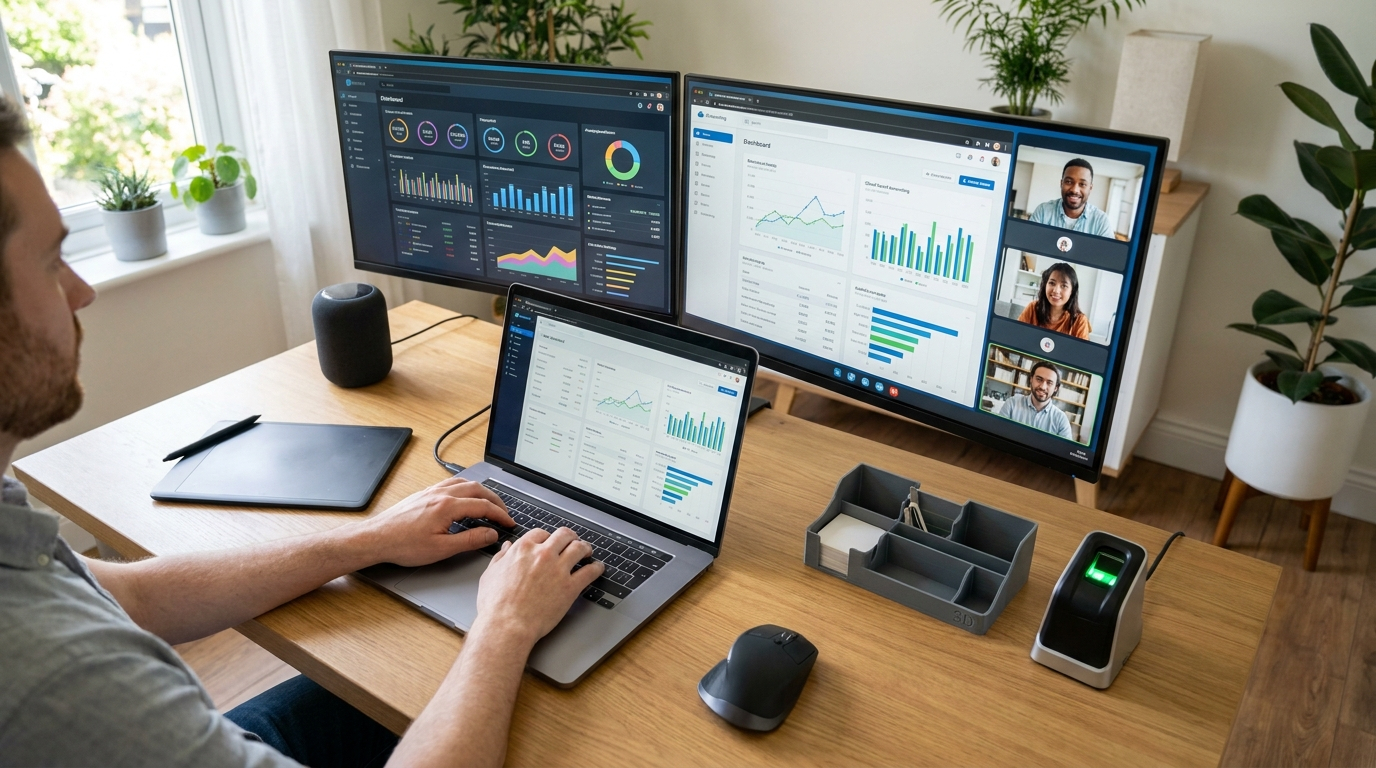
Remote bookkeeping uses secure accounting software, bank feeds, digital document storage, and defined review routines. The bookkeeper can access the information needed to categorize transactions and reconcile accounts without requiring the business owner to deliver paperwork in person.
Most systems connect directly with business bank accounts, credit cards, payment platforms, payroll tools, and expense applications. This reduces the need to retype transaction data. Automation captures the transaction, but a qualified bookkeeper still reviews the category, vendor, amount, and business purpose before relying on the information for reporting.
A remote bookkeeper also creates a repeatable monthly process. Transactions are reviewed, bank and credit card accounts are reconciled, customer payments are matched to invoices, and reports are checked for unusual changes. Consistency matters more than a one-time cleanup because accurate records depend on regular attention.
Bank Reconciliation Keeps Reported Balances Honest
A bank feed is useful, but it does not prove that the books are correct. Financial accuracy requires reconciliation. This means comparing the transactions recorded in the accounting system with the transactions shown on the bank or credit card statement.
A remote bookkeeper identifies transactions that appear in one record but not the other. Examples include outstanding checks, deposits in transit, duplicate charges, bank fees, returned customer payments, and transactions posted to the wrong account. Each difference needs an explanation before the account is considered complete.
Regular reconciliation prevents a common mistake: assuming the balance shown in accounting software is available cash. A report may show a healthy bank balance while unpaid checks, pending card settlements, or missing fees have not been accounted for. Reconciled balances give owners a more realistic view of money available for payroll, inventory, and upcoming bills.
Clear Expense Categories Improve Decision Making
Expense categories shape the quality of financial reports. If advertising, software subscriptions, contractor costs, and office supplies are all placed in a general expense account, the profit and loss statement cannot show where money is actually going.
Remote bookkeepers establish categories that match the way the business operates. A service company may need separate accounts for subcontractors, project materials, travel, and client entertainment. An online retailer may need distinct categories for shipping, merchant fees, inventory purchases, and returns. The right level of detail makes reports useful without making them difficult to maintain.
Consistent categorization also supports tax preparation. Expenses are easier to review when similar purchases are grouped properly throughout the year. The tax professional receives organized records rather than a large collection of unclear transactions near the filing deadline.
Document Capture Creates An Audit Trail
A transaction alone does not always explain its purpose. A card charge may show only a shortened vendor name, while a bank transfer may provide little detail about what was purchased. Supporting documents fill those gaps.
Remote bookkeeping platforms allow owners and employees to upload receipts, bills, contracts, and invoices from a phone or computer. The bookkeeper can attach the document to the matching transaction and ask questions while the purchase is recent. This creates a clear record for management review, tax preparation, and future reference.
Good document habits also reduce back-and-forth communication. Instead of searching through email messages for a supplier invoice, the business can find the document directly from the transaction record. That saves time and helps ensure expenses are classified correctly the first time.
Communication Turns Data Into Correct Entries
Remote work does not mean isolated work. The strongest remote bookkeeping arrangements use a simple communication routine. The bookkeeper needs a reliable way to ask about unfamiliar charges, new vendors, owner withdrawals, and customer deposits.
A shared monthly question list works well for many small businesses. The bookkeeper records each item that needs clarification, explains what information is needed, and sends the list on a scheduled date. The owner can answer several questions at once rather than responding to scattered messages throughout the month.
Clear roles also prevent duplicate work. The business owner may approve bills and upload receipts, while the bookkeeper enters transactions, reconciles accounts, and prepares reports. If payroll, inventory, or invoicing is handled by another team member, everyone should know which system holds the final record.
Financial Reports Become More Useful When They Are Timely
A profit and loss statement is only valuable if the underlying records are current. A report produced three months late may describe past activity accurately, but it cannot guide an immediate decision about spending, pricing, or staffing.
Remote bookkeeping supports faster reporting because information is available digitally. Once accounts are reconciled, the bookkeeper can provide monthly profit and loss statements, balance sheets, cash flow summaries, accounts receivable aging reports, and accounts payable reports.
These reports answer practical questions. An owner can see whether revenue is rising while profit is declining, whether overdue invoices are building up, or whether one supplier cost has increased sharply. Timely reporting turns bookkeeping from a compliance task into a management tool.
Internal Controls Matter Even In A Small Team
Small businesses may assume internal controls are only necessary for large companies. In reality, basic controls protect accuracy at every size. They reduce the risk of accidental errors and make questionable transactions easier to identify.
Remote bookkeeping can separate financial duties without adding a full internal accounting department. For example, an owner can approve payments while a bookkeeper records them. A manager can review bank activity while a different person handles invoicing. The person who reconciles the account should not be the only person able to send money from it.
Access permissions are equally important. Accounting platforms can limit users to the information and actions required for their role. A staff member who submits expenses does not need permission to change bank details, approve payments, or edit prior period reports.
Choosing The Right Remote Bookkeeping Partner
The best remote bookkeeper understands the business model, uses secure systems, and explains financial information clearly. Price matters, but the lowest monthly fee can become costly if the provider performs only basic data entry and leaves reconciliation or error correction unfinished.
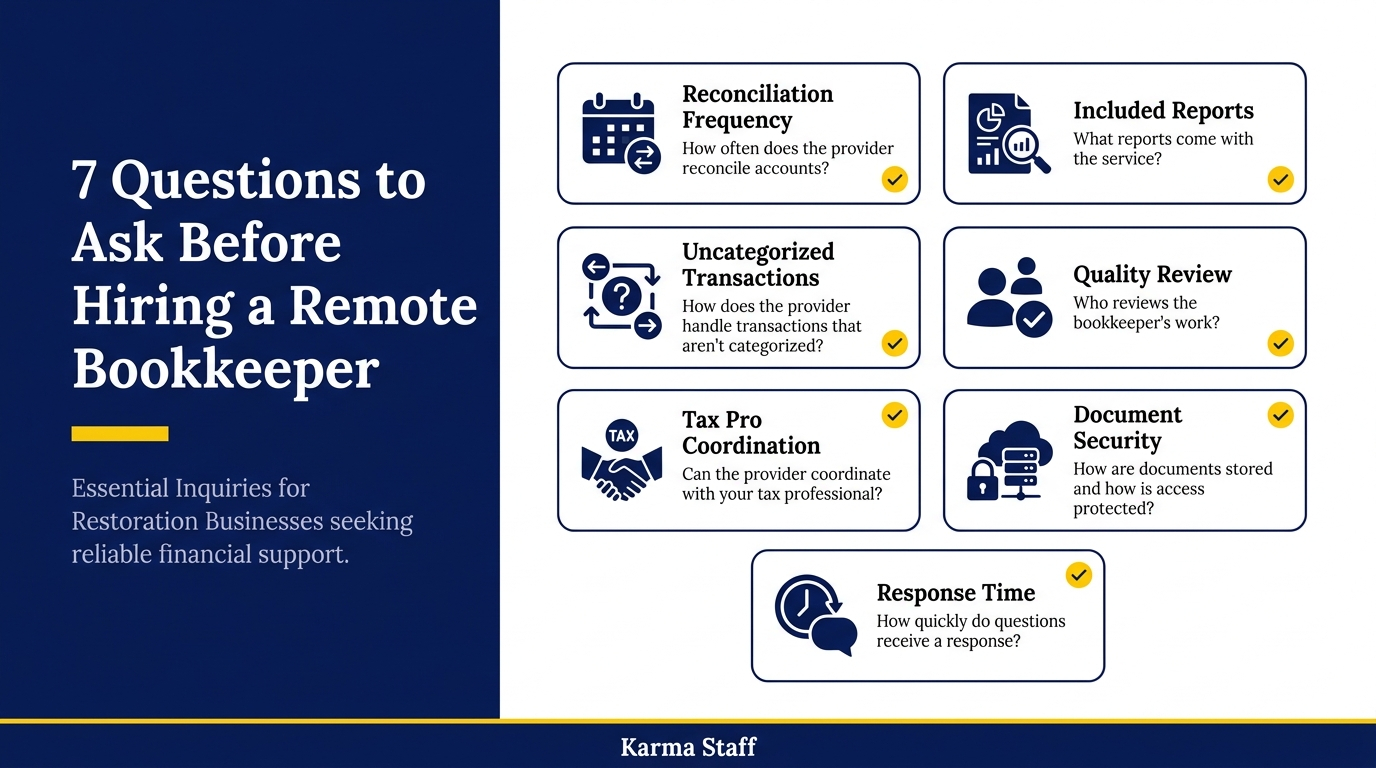
Ask how often the provider reconciles accounts, what reports are included, and how they handle uncategorized transactions. Confirm who reviews the work and whether the provider can coordinate with the business tax professional. A strong provider should also explain how documents are stored, how access is protected, and how quickly questions receive a response.
The onboarding process reveals a great deal. A careful remote bookkeeper will request prior reports, bank and credit card access, payroll details, sales platform information, outstanding invoices, unpaid bills, and a clear explanation of how money moves through the business. This early work helps prevent incorrect opening balances and missing historical activity.
Conclusion
Remote bookkeeping gives small business owners a dependable financial process rather than a last-minute administrative burden. Regular reconciliation, organized documents, clear expense categories, and timely reports make the numbers easier to trust.
For small business accounting, reliable records support better daily decisions and smoother tax preparation. Arrange a remote bookkeeping review to identify gaps in your current process and build a reporting routine that matches how your business operates.
FAQs
Q: How often should a remote bookkeeper reconcile accounts?
A: Most small businesses should reconcile bank and credit card accounts monthly. Businesses with frequent transactions, tight cash flow, or high payment volume may benefit from weekly reviews.
Q: Can remote bookkeeping work if a business still receives paper receipts?
A: Yes. Paper receipts can be scanned or photographed and uploaded to a secure document system. The key is to submit them promptly and connect each receipt to the correct transaction.
Q: Does remote bookkeeping replace a tax professional?
A: No. A remote bookkeeper maintains organized financial records and reports. A tax professional uses those records to prepare returns, advise on tax strategy, and manage tax
related news & insights.

Accurate books give business owners a clear view of cash flow, margins, tax obligations, and available funds. A remote provider can reduce administrative work while giving you access to skilled bookkeeping support without hiring a full internal finance team. The right partner does more than
-
Introduction Remote bookkeeping depends on connected systems that let financial work happen accurately without a shared office. A bookkeeper needs more than an accounting platform. They also need reliable document capture, payment workflows, client communication, security controls, and reporting tools that work across locations. The